
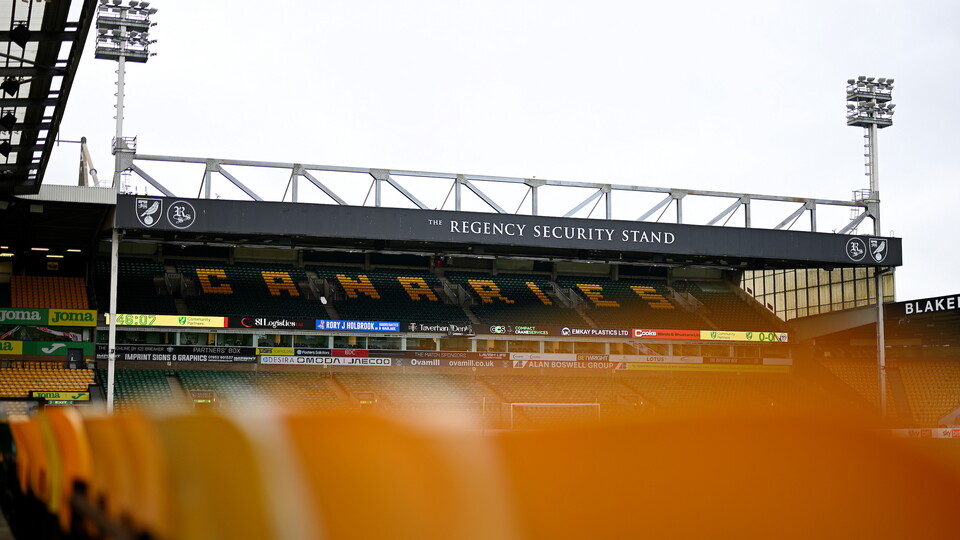
The club are aware of an issue caused by our access control provider that has removed digital season ticket passes from iPhone user's Apple wallets.
Follow our step-by-step guide ahead of this weekend's fixture against Burnley at Carrow Road to return your season ticket to your wallet.
Step One
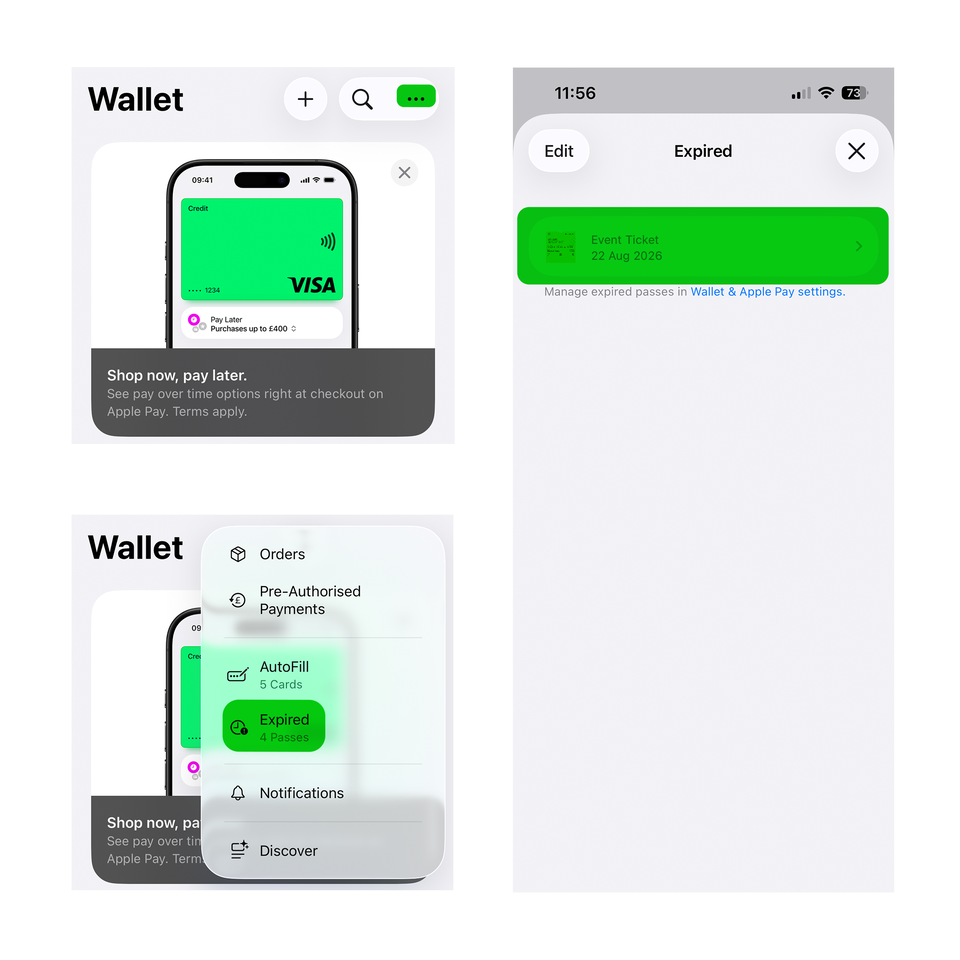
Open your Apple wallet app on your iPhone. Either scroll to the bottom of the page and select 'view expired passes' or press the three dots at the top of the page and select 'expired passes'.
Step Two
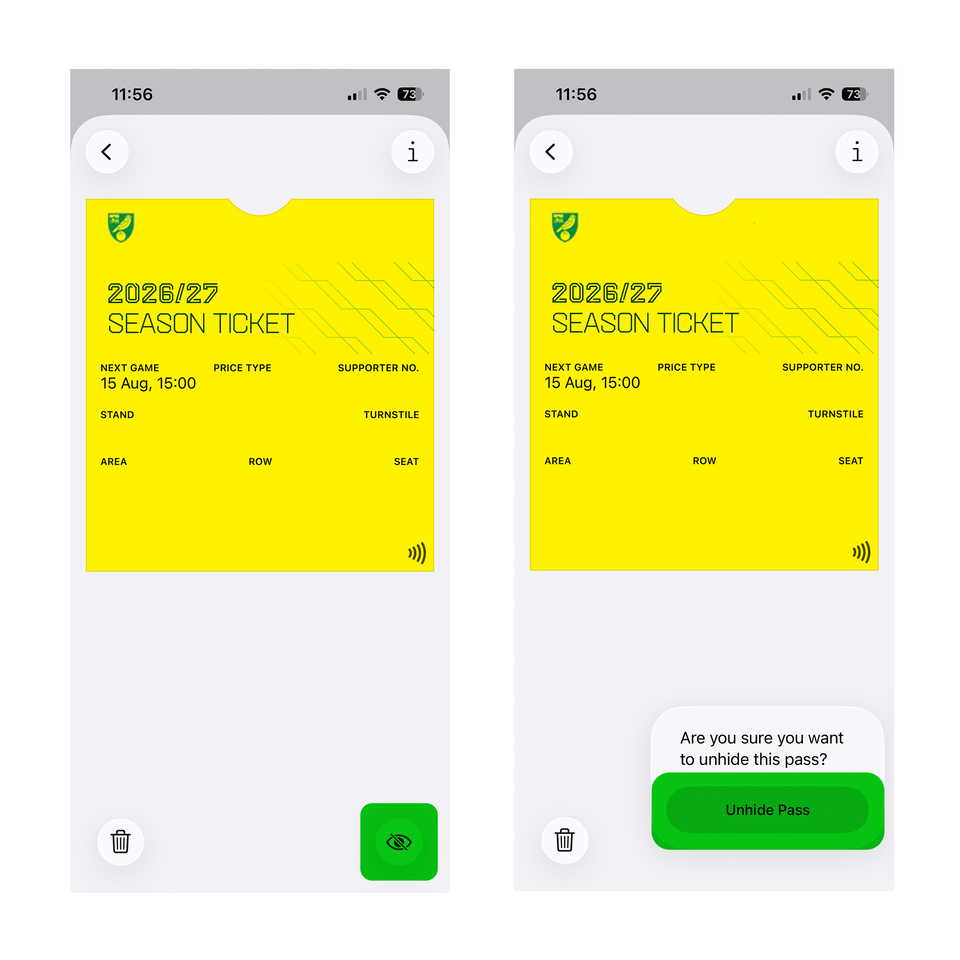
Find your season ticket and open it. This will likely be found near the top of your expired passes. Select 'unhide' via the eye icon in the bottom right corner of your screen, which will move your season ticket back to your wallet.
Step Three
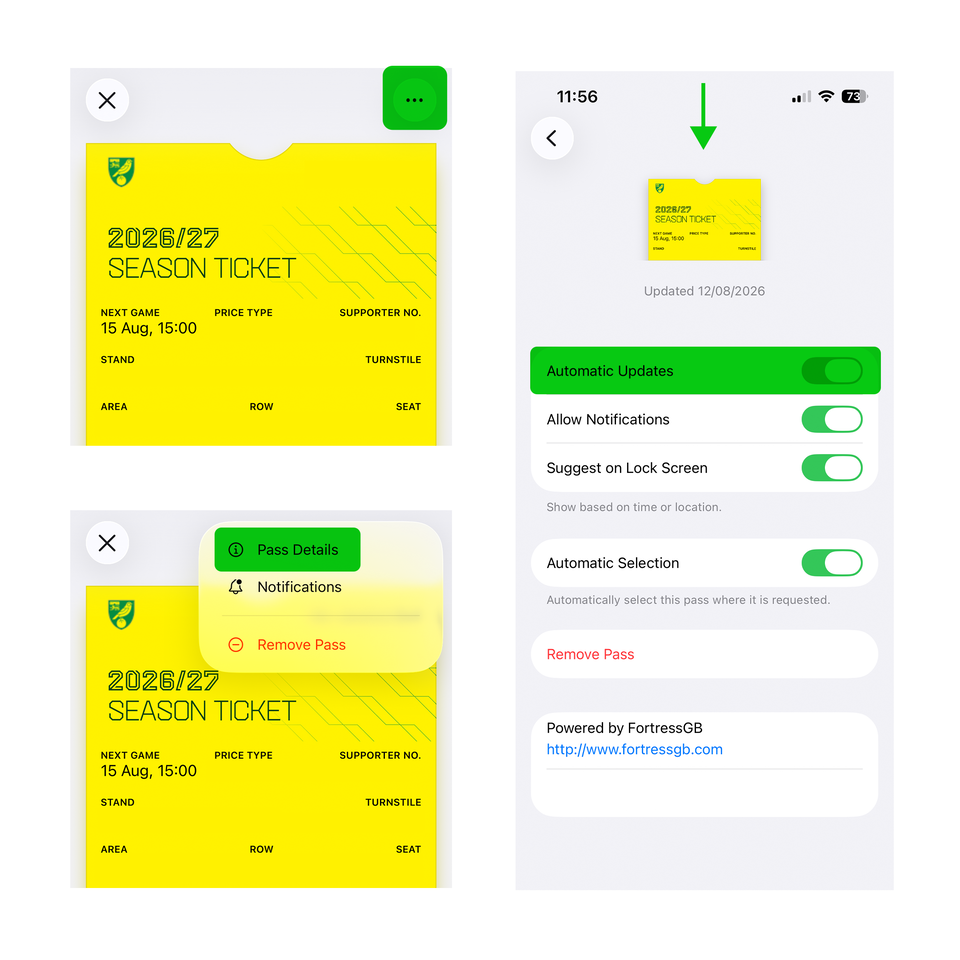
Next, go back to your wallet and select your season ticket. Then select the three dots at the top of the screen followed by 'Pass Details'. Refresh the automatic updates page by swiping down to force the season ticket to update.
The ‘next game’ date should then change to that of the next fixture, but supporters can be assured that even if the date does not update straightaway, the ticket will still work.
Please ensure automatic updates are ON to allow your season ticket to update after each fixture.
We thank supporters for their patience and apologise for the inconvenience.